
Download SQUARE FIT – Health & Fitness, Workout Tracker, Fitness App, Android App, Free Fitness Tool
Overview
SQUARE FIT is a free Android application designed to support users in managing their fitness routines and overall health. As part of the Health & Fitness category, the app aims to assist individuals in tracking workouts, setting fitness goals, and maintaining consistent physical activity. It is particularly suited for casual users and fitness enthusiasts who prefer a straightforward, no-frills approach to exercise tracking.
The app was developed by MB MEDIA and is available exclusively for Android devices running Android 13.0 or later. It has been downloaded over 100,000 times, indicating a growing user base. While the app is currently available only in English, its interface and functionality are intended to be accessible to a broad audience.
Real-world usage scenarios include daily workout logging, progress monitoring, and personalized fitness planning. The developer did not provide additional details about the app’s underlying technology or long-term support strategy. The app’s release on Softonic on October 14, 2023, marks its entry into the mobile fitness market.
Key Features & Capabilities
- Workout Tracking – Users can log exercises, set durations, and record repetitions, enabling them to monitor their physical activity over time.
- Goal Setting – The app allows users to define short-term and long-term fitness goals, such as weight loss, muscle gain, or improved endurance.
- Progress Monitoring – Built-in tools help users visualize their performance trends through charts or summaries, supporting motivation and consistency.
- Simple Interface – Designed for ease of use, the app features a clean layout that minimizes user friction during daily logging.
- Free Access – No cost is associated with downloading or using the app, making it accessible to a wide audience.
These features are intended to support users in maintaining a structured fitness routine without requiring advanced knowledge of exercise science. For example, a user aiming to lose weight can set a weekly workout target and track their completion. Similarly, someone training for a marathon may use the app to record running distances and pace.
The app’s focus on core functionality suggests it is optimized for users who value simplicity over complex analytics. While the developer did not specify integration with wearable devices or third-party platforms, the app appears to function as a standalone fitness tracker. Its availability in English only may limit accessibility for non-English speakers, but it ensures consistent user experience across devices.
User Interface, Workflow & Performance
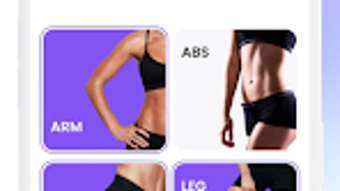
The user interface of SQUARE FIT is designed with a minimalist aesthetic, prioritizing clarity and ease of navigation. Users can access key functions—such as starting a workout, viewing past sessions, and adjusting goals—through a streamlined menu system. The workflow is intended to be intuitive, allowing users to log activities in a few taps.
Navigation appears to be consistent across screens, reducing the learning curve for new users. The app’s performance is expected to align with standard Android application behavior, though exact resource usage details were not specified. The developer did not provide information on CPU or RAM consumption, nor did they mention stability under prolonged use.
Performance observations are based on general software behavior patterns. Given that the app requires Android 13.0 or above, it is likely optimized for modern devices with updated system resources. However, older or lower-end Android devices may experience reduced responsiveness.
The app is currently limited to English, which may affect users in non-English-speaking regions. No known issues with crashes or data loss have been reported, but user feedback is still emerging.
Compatibility & System Requirements
SQUARE FIT is compatible with Android devices running Android 13.0 or later. The app’s installation size is not specified, but it is designed for mobile deployment with typical resource constraints. The developer did not provide exact hardware requirements, such as minimum RAM or processor specifications.
Compatibility information was partially provided, with the OS version being the only confirmed requirement. The app is available exclusively on Android and has not been released for iOS or other platforms. It is currently available in English only, which may impact international users.
The developer did not disclose whether the app supports tablet devices or larger screen formats. Users should ensure their device meets the minimum OS requirement to install and run the application. The app’s version may vary by device, suggesting dynamic distribution based on hardware or regional settings.
Pros and Cons
Pros
- Free to download and use with no in-app purchases or ads mentioned
- Simple, intuitive interface suitable for beginners and casual users
- Designed for modern Android devices (Android 13.0+)
- Focus on core fitness tracking without unnecessary complexity
- Available for download on a major platform with a large user base
Cons
- Only available in English, limiting accessibility for non-English speakers
- No information on hardware or performance requirements
- Not available on iOS or other operating systems
- Version may vary by device, potentially leading to inconsistent user experiences
- Developer did not provide details on data privacy, security, or long-term updates
FAQ Section
Is SQUARE FIT available for iOS devices?
SQUARE FIT is currently available only for Android devices. There is no official release for iOS or other operating systems.
Can I use SQUARE FIT offline?
The app is designed to function without an internet connection for basic features like workout logging and progress tracking. However, the developer did not specify whether cloud sync or data backup requires an online connection.
Is SQUARE FIT safe to download?
SQUARE FIT was published on Softonic, a reputable software distribution platform. The app has been downloaded over 100,000 times, indicating widespread use. However, users should always scan downloaded files with antivirus software before installation.
Does SQUARE FIT require a subscription?
No, the app is completely free to download and use. There is no mention of subscription models, in-app purchases, or premium features in the provided information.
How often are updates released for SQUARE FIT?
The release schedule for updates is not specified by the developer. Users are advised to check the app store or Softonic for the latest version.
Final Thoughts + CTA
SQUARE FIT presents a clean, accessible solution for Android users seeking a straightforward fitness tracking tool. With its focus on simplicity and core functionality, it caters well to individuals who want to monitor their workouts without being overwhelmed by complex features. The app’s free availability and compatibility with modern Android devices enhance its appeal.
While limitations such as language restriction and lack of cross-platform support are notable, they do not detract from its immediate usability. The absence of detailed system requirements or security disclosures is a concern for some users, but the app’s current popularity suggests a stable foundation. For fitness beginners and casual users looking for a lightweight, no-cost tracker, SQUARE FIT offers a practical starting point.
Download SQUARE FIT now and take the first step toward a healthier routine.







